
Imagine creating a professional-looking video without ever stepping in front of a camera. Isn’t it cool? Well, this is what an AI talking avatar can do. These are the digital characters that you can use for your videos. AI Talking Avatars read your scripts in a natural flow, mimicking a human.
We can use these AI talking avatars in various fields. For example, one can use them for social media videos or educational video creation. They save time and also cut down on the cost, which you would have spent on expensive camera gear and equipment.
But creating an AI Talking Avatar sounds difficult, right? Well, it’s not; it takes only a few minutes to get your own avatar video ready. In this article, we will guide you on how to make an AI talking avatar for free.
What is an AI Talking Avatar?
An AI talking avatar is a digital avatar or character that mimics a human. It will read out the script that you upload to the platform with proper facial expressions and lip sync. These AI talking avatars can convert any character into a real-life lifeform in videos.
These avatars are customizable; you can change their voice, background, and whatnot. Many AI tools give you the option to customize the way your AI talking avatar appears and talks. These avatars look natural with their facial expressions and gestures.
AI talking avatars are being used a lot these days. Many people use them to generate social media content, and even for marketing.
Benefits of AI Talking Avatars
Instead of sitting in front of a camera and recording the video, many people are opting for AI talking avatars. There are several benefits of using AI talking avatars, such as-
- You can generate as many videos as you want.
- You won’t need different actors to create videos for you.
- Investment will be almost zero. You won’t have to invest in equipment like a camera and a microphone.
- It takes a few minutes to generate talking avatars.
- AI avatars are customizable, so you can set them up as per your requirements.
Use Cases of AI Talking Avatars
With the rise of social media, AI talking avatars are also becoming common. They have various use cases, such as-
- They can create YouTube and other social media content.
- One can use AI talking avatars to create explainer videos for customer support.
- You can use them for sales and marketing.
- Many channels have created their own AI avatars, which they use as their news anchors.
Well, these are a few of the many use cases one can have with an AI talking avatar.
Create Free AI Talking Avatar: Step-by-Step
You can create a free AI talking Avatar with Clipfly. It is a credit-based AI tool platform that gives you access to various features, including AI avatar creation. To create an AI talking avatar using Clipfly, you will need a photo of the person you want to use for the avatar and a script. Once you have all this, you can create an AI talking avatar.
We are dividing the guide into two parts to make it easier for you to generate the avatar. The first part involves generating a script using AI, and the second is generating the avatar itself.
1. Generate Script
First, you need a script for your avatar. If you have a script, then you can skip this step and move to step 2. In case you don’t have a script, then we will guide you on how you can generate a script using ChatGPT. Here’s how:
- Head over to the ChatGPT site on your browser.
- Now, click on the Log In button on the screen.
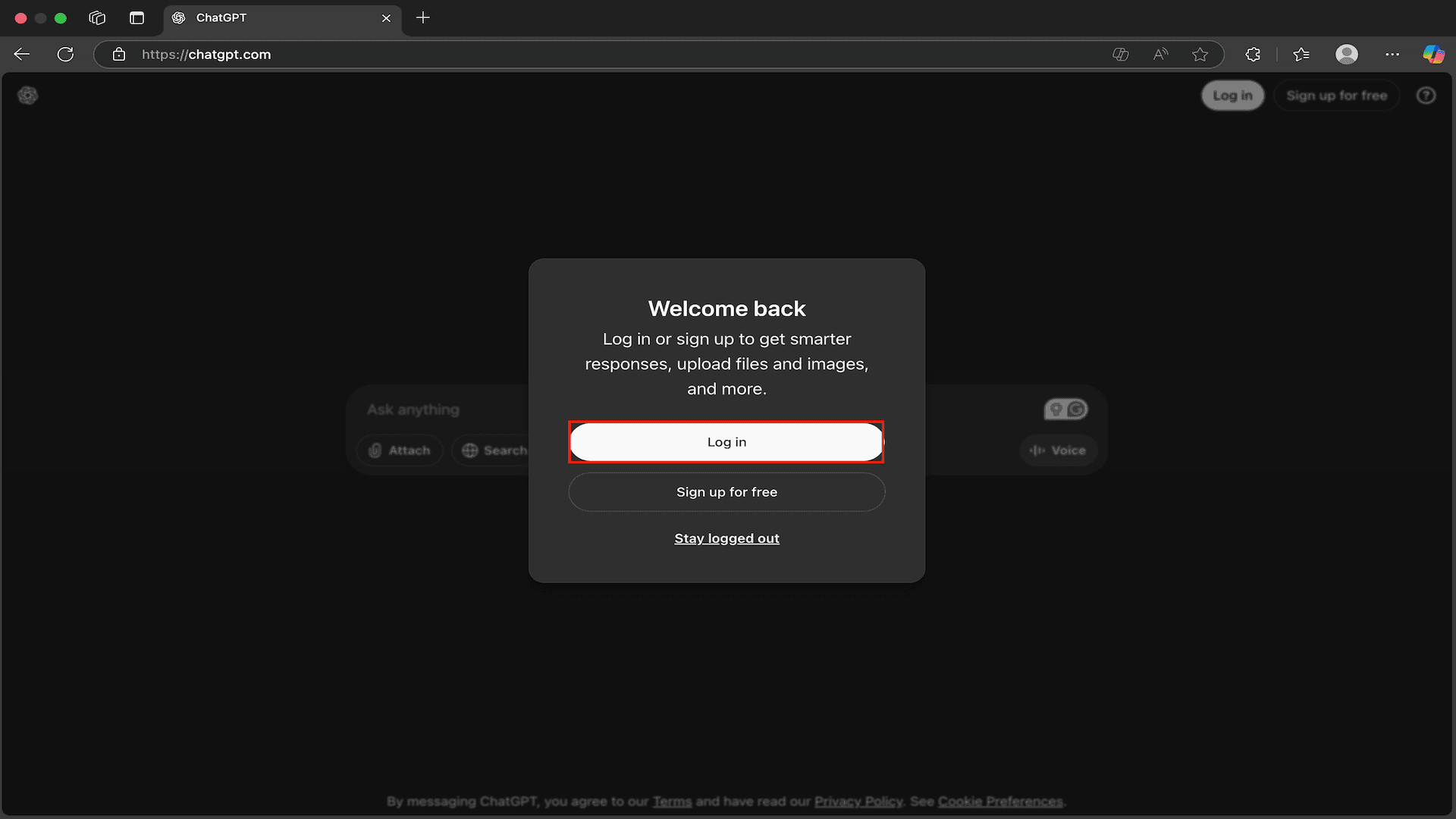
- You can log in to your account now through the following options-
- Continue with the phone
- Continue with Google
- Continue with Email
- Continue with Microsoft account
- Continue with Apple
- You can go with any of the above options, so let’s go with Continue with Google for now.

- Choose your account and sign in to ChatGPT.
- Now on the screen, type this prompt-
- I will use an AI avatar generator to generate a video. My topic for the video is . I want you to generate a script for that I can use for video generation.
Note- In the above prompt, replace with the topic on which you want the script, and with the length of the video. For instance, I want a 30-second video on the advantages of the internet.
- Once you enter the prompt and hit Enter, ChatGPT will generate the script.
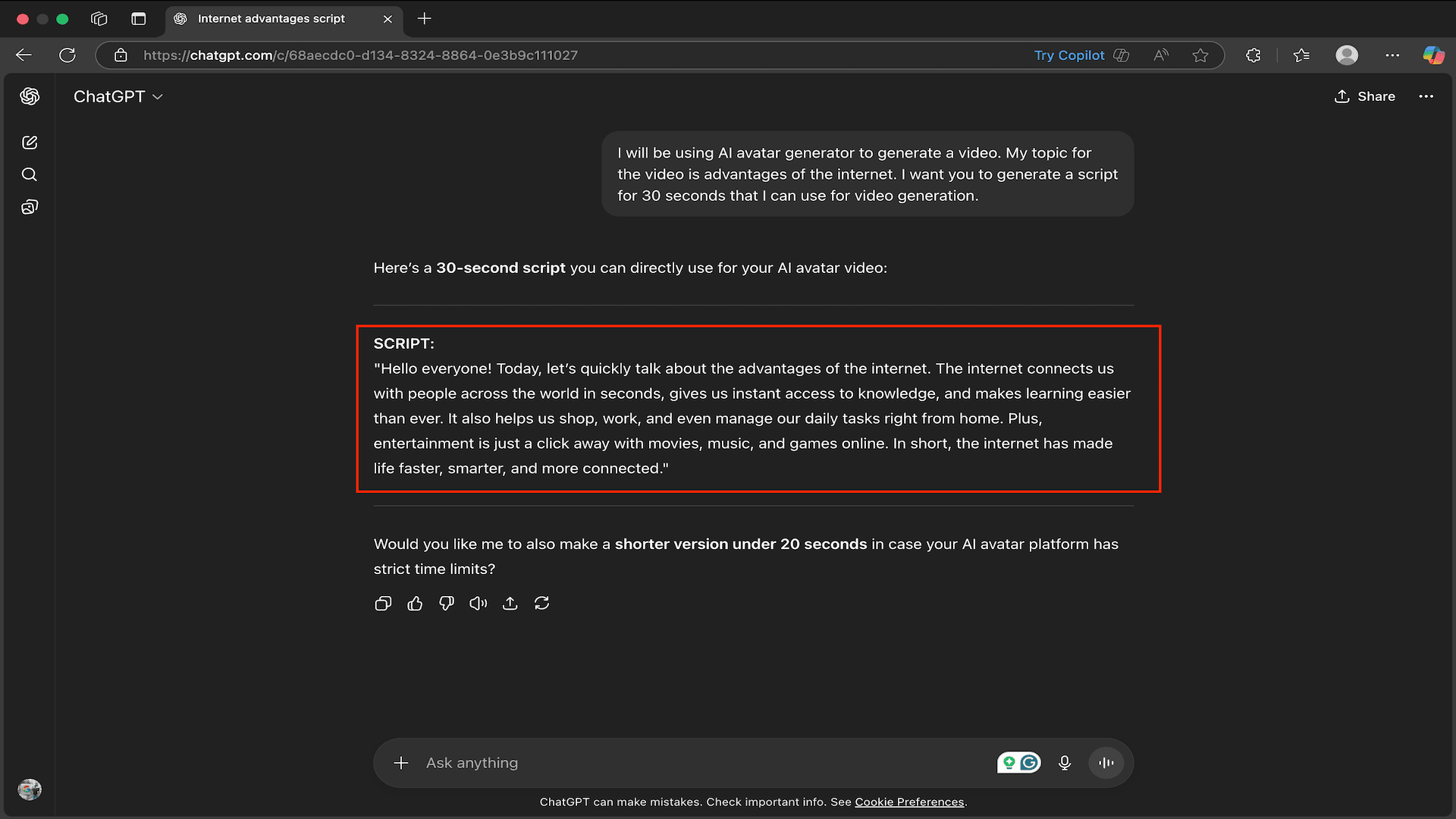
- After generating the script, copy it. We will use it to generate a talking AI avatar.
The script generated by ChatGPT may require some changes and fact-checking. So, give it a check and proofread it before you use it for avatar creation.
Script Generated
Hello everyone! Today, let’s quickly talk about the advantages of the internet. The internet connects us with people across the world in seconds, gives us instant access to knowledge, and makes learning easier than ever. It also helps us shop, work, and even manage our daily tasks right from home. Plus, entertainment is just a click away with movies, music, and games online. In short, the internet has made life faster, smarter, and more connected.
2. Generate an AI Talking Avatar
Once you have the script, you can generate the AI talking avatar. For this, we will use Clipfly, which uses 10 credits for a video generation. In one generation, you can only use a 1000-word script, and the script should only be in English. Here’s how you can use Clipfly to generate an AI talking avatar:
- Head over to the Clipfly AI talking avatar page.
- Here, click on Create your Talking Avatar button.

- In the top right corner, click on Sign In.

- You can now sign in with Facebook, Google, or your Email. Choose any of these options and sign in to your account.

- Now, after this, you need to upload your AI avatar image. For this there are two options-
- Upload from Device- Use this option to upload the avatar image from your device.
- Upload Icon- Use this icon (shown in the image below) if you have used Clipfly and have some assets uploaded to the platform that you want to use.

- For now, we will choose Upload from Device.
- Select the avatar image. It can be anything, like your own photo or some cartoon character as well. Once done, click on Open.

Note- If you are uploading your own photo, then make sure it’s a headshot or a close-up photo of your face.
- Now you need to upload your script. There are two options for that-
- Text to Speech- Use this option if you have a written script.
- Upload Audio- Use this option if you already have an audio file you want to use.
- As we have a written script, we will select the Text to Speech option.

- Now, paste the script you copied from ChatGPT in the text field.

- After this, select a voice. These are the free voices in Clipfly-
- Malcolm
- Emily
- Jennifer
- Olivia
- Anthony
- Louis
Note- Only the above voices are free on Clipfly, and the rest require a paid subscription. So, only choose the voices we mentioned above.
- For this guide, let’s select Anthony.

- To check your script in the selected voice, click on Preview.

- Next, check the checkbox for Keep Only the Avatar Area if you want to zoom in on your avatar (optional).

- Once you have done that, click on Generate, and this will generate the video. It will take somewhere around 8-10 minutes to generate the video.

Note- Clipfly gives you 15 credits on account creation. Each video generation takes 10 credits. You can earn more credits through daily login and taking part in the activities in the rewards center.
Video Output
Pros of Clipfly
There are many AI talking avatar makers available online, but there are pros that set Clipfly apart from all of them:
- Free- Clipfly is free to use. You can generate as many videos as you want if you have enough credits.
- No watermark- There’s no watermark on the final output on Clipfly.
- 4K Exports- The video that you download will be in 4K quality.
- Custom Avatar- You can upload your own image or any custom avatar you have created for video generation.
Limitations of Clipfly
We are using Clipfly to generate an AI talking avatar. Though it is a free tool, it does have some limitations that you should know about.
- Slow- Clipfly is slow in generating an AI talking avatar. Each generation can take around 10 minutes, and sometimes even more.
- Script Limit- You can only upload a script of up to 1000 words on the tool, and not more than that.
- No Advanced Options- There are no advanced options on the tool. For instance, you don’t get the option to adjust the audio on Clipfly.
- Credit Utilization- Clipfly uses 10 credits per generation, and upon signup, you only get 15 credits. You can earn more credits from the rewards center for more video generation.
Tips to Make a Better AI Talking Avatar
To make a natural AI talking avatar, you must keep these tips in mind:
- Make sure the script is short and simple. Avoid using complicated words in the script.
- The photo you upload should be of high quality and should be a close-up of your face.
- Choose the right voice and tone as per your usage and avatar style.
- Avoid using photos with distracting elements.
- Check the preview before you generate the video, and experiment with the script.
Conclusion
With the availability of various AI tools, it has become easier to create AI talking avatars. These avatar videos are shaping the world of social media. Many creators use them to create engaging content and produce more content without doing the hard work.
Clipfly is a free tool with which you can create professional-looking avatar videos with just your script and your avatar face. It gives you various voice options, and also the option to upload your own avatar image, so you have control over the video generated.
I prefer this tool over any other one, because it’s free, plus it’s much easier to use. Anyone with no prior knowledge can use Clipfly and create an AI avatar.
So, what would you use an AI talking avatar for—content creation, marketing, or something else? Let me know your thoughts in the comments below!
FAQ
Is there a Free AI to Create a Talking Avatar?
Yes, Clipfly is a free tool you can use to create an AI talking avatar. It gives you 15 credits with the free account (10 credits required for 1 generation), and you can earn more credits from the rewards center.
Can I Upload an AI Talking Avatar to Social Media?
Yes, you can upload an AI talking avatar to any social media platform. Just make sure you are using your own image, an AI-generated image, or a copyright-free image.
What Language Does Clipfly Support for AI Avatar?
As of now, Clipfly only supports English. You must use an English script, and the AI talking avatar will also generate in English.
How Long Does it Take to Generate an AI Avatar Video?
On average, it takes 5–10 minutes, depending on the platform and script length. Some may take longer if the script is long, or the server is busy.
Can I Monetize the Content Made with an AI Talking Avatar?
Yes, you can monetize the content made with an AI talking avatar. You can use these videos on any platform, including YouTube, Instagram, for business purposes as well.
How Much Long Videos Can I Create with an AI Talking Avatar?
Clipfly only supports a 1000-word script, which means you can create 1-minute-long videos with it. There are other tools like HeyGen, Synthesia, and Typecast, which allow you to create longer videos if you opt for their paid plans.


